

A hacked Facebook account can feel like a locked door with your name still on it. Messages may be sent from your profile, unfamiliar ads may appear in a connected business account, or the email and phone number used for recovery may suddenly be different. The temptation is to act fast anywhere—but the safest first move is to use Meta’s own recovery process.
Meta directs people who believe their account was taken over to facebook.com/hacked, ideally from a phone or computer that has previously been used to sign in. That familiar-device detail matters: it can provide recovery signals that a new device cannot.
First: establish whether this is a takeover
Unexpected posts, messages, profile changes, login alerts, or an unfamiliar device in the account’s logged-in sessions are meaningful warning signs. An email saying that the account email address, mobile number, or password changed can be especially important. Meta says its notice to the previous email address may include a link that lets the owner reverse an unauthorized email change.
Do not enter a password through a link in an unsolicited email, direct message, or text. Open Facebook yourself by typing the address into the browser, then continue from the official recovery page.
Use the official recovery route before trying workarounds
- Go to facebook.com/hacked on a previously used device if possible.
- Follow the account-recovery prompts and reset the password to a new, unique passphrase.
- If the normal email address or phone number is no longer available, use Meta’s account-recovery options to identify the account and provide a new contact method that has not previously been attached to it.
- Check the old inbox carefully for legitimate Meta notices about changed contact details; use the reversal option only after verifying the message is genuine.
Then contain the wider damage
Recovering access is not the finish line. Review where the account is logged in and remove devices or locations you do not recognize. Review recent posts, messages, Pages, payment activity, connected apps, and—if you work in marketing—Business Manager, ad accounts, payment methods, partners, and people with access. A personal-profile compromise can become a business problem when that profile has administrative rights.
Change the password for the email inbox attached to Facebook as well, especially if it was reused anywhere. If the device itself behaves strangely, remove unfamiliar browser extensions or applications and run a reputable security scan before signing back in. Otherwise, an attacker may simply capture the next password too.
Make the recovered account harder to take again
Turn on two-factor authentication, login alerts, and Security Checkup. Meta also recommends a unique password and warns that passkeys can reduce exposure to phishing because they are tied to the specific account and device. For teams, the bigger operational lesson is simple: do not let one personal profile be the only administrator for a Page, Business Manager, or ad account.
When an account is tied to advertising or a business
Document suspicious charges, screenshots of changed permissions, and relevant timestamps before cleaning up. Tell the internal team who controls billing and customer communications. Do not buy “instant recovery” services from people who contact you in comments or direct messages; those offers can turn one compromise into two. Use official Meta flows, and escalate through the support options available inside the business tools once access is restored.
What to remember
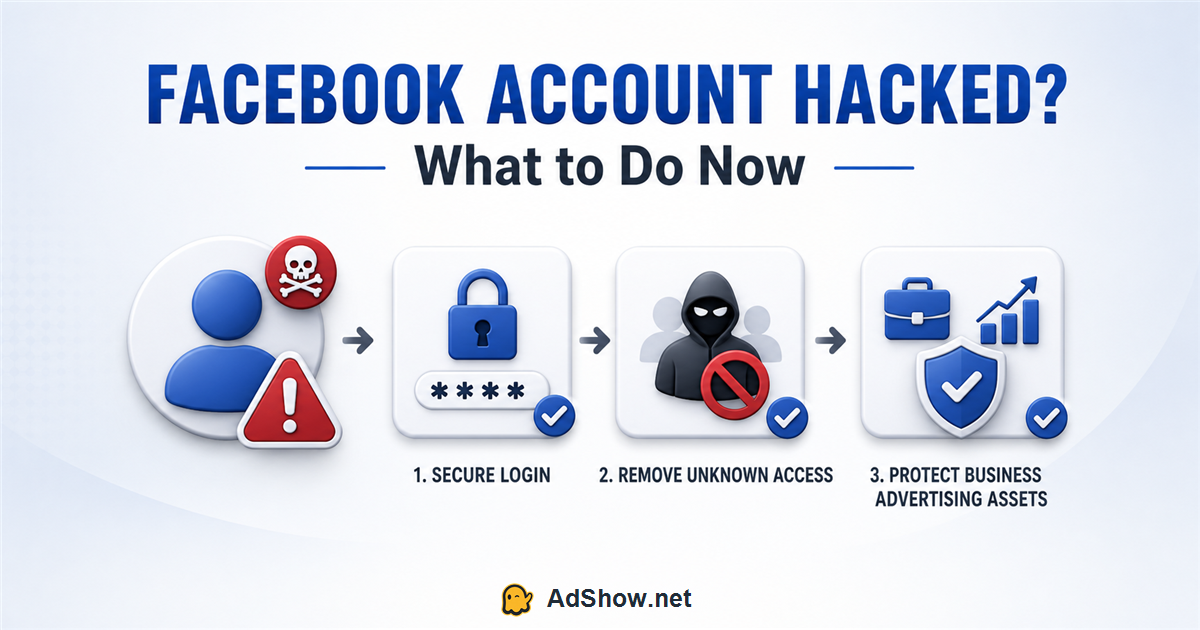
A hacked-account response is not just a password reset. It is a sequence: recover through the official channel, secure the email and device, remove unauthorized access, check business assets, and improve the account’s defenses. Moving quickly is useful; moving only through verifiable channels is what protects the account.
The central risk is not only losing a social profile. For creators, employees and media buyers, a compromised personal login may also expose Pages, ad accounts or billing access. That is why recovery needs a containment checklist—not just a new password.
Sources and methodology
- Meta: https://www.facebook.com/help/203305893040179nMeta account recovery: https://www.facebook.com/hackednMeta account security guidance: https://www.facebook.com/help/213481848684090/nMeta guidance on malware and business accounts: https://www.facebook.com/help/773912954219636nOriginal topic reference: https://adshow.net/blog/facebook-account-hacked-what-to-do